
Sales by service
Which services, styles and add-ons bring in the money
The sales by service report shows where your money comes from across your menu. It tells you which services, styles and add-ons earn the most, so you can price and promote with a clear head.
In this article
- What this shows you
- What each column means
- See the breakdown
What this shows you
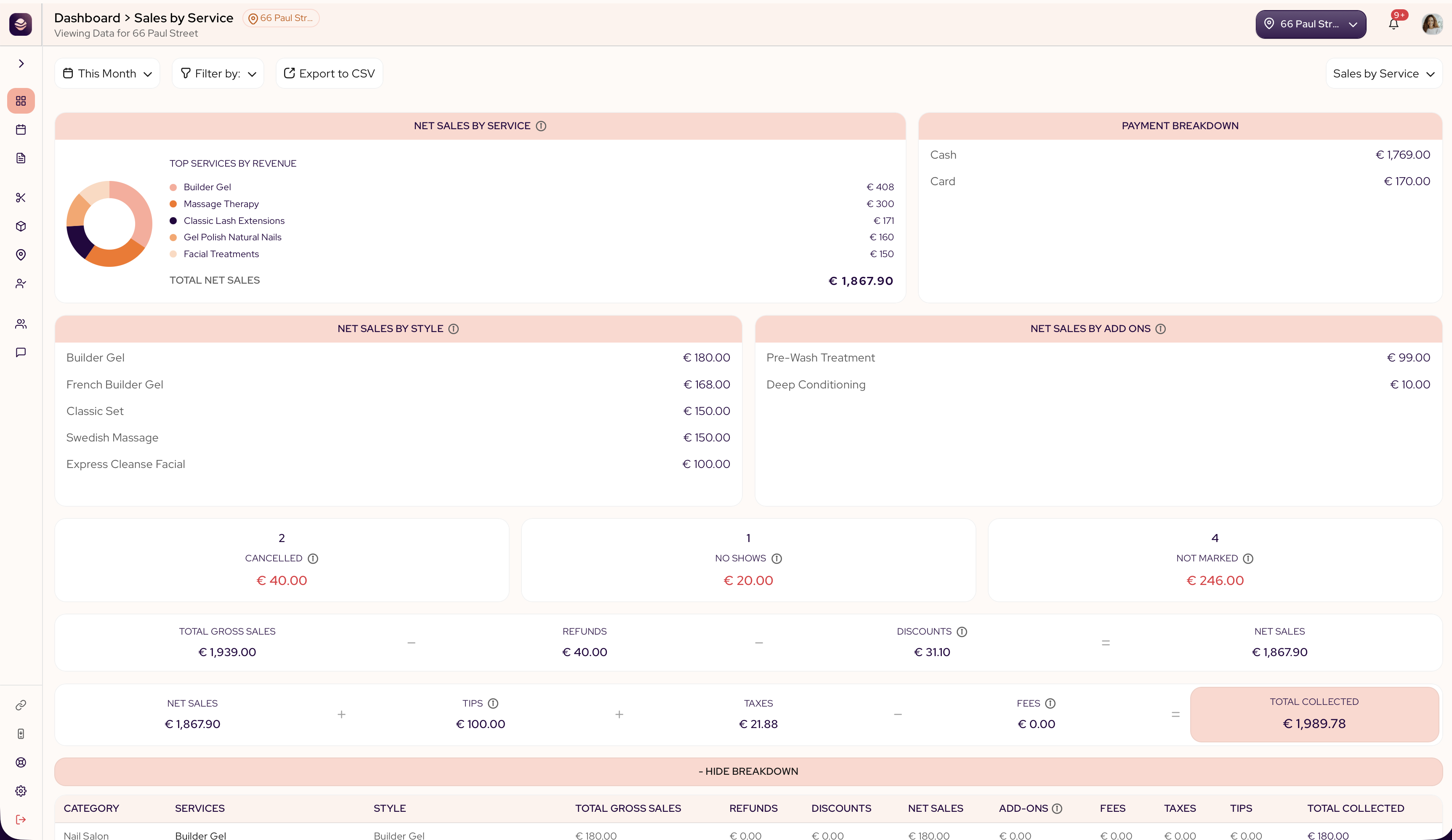
The report breaks your takings down by service, and a few panels sit on top:
- Net sales by service ranks your services by what they brought in.
- Net sales by style shows your top styles by revenue.
- Net sales by add-ons shows your top add-ons by revenue.
- Payment breakdown shows how clients paid.
Three more cards show appointments that never turned into a sale:
- Cancelled and No Shows total the value of appointments that didn't happen. That money is never counted in your Gross or Net Sales.
- Not Marked totals past appointments that still need to be marked Completed, No Show, or Cancelled — a growing number here usually means staff aren't closing out appointments.
If your Gross or Net Sales look lower than expected, check these cards first — cancelled, no-show and not-marked appointments are deliberately left out of your sales totals.
What each column means
- Category is the service category it belongs to, or Uncategorized for one-off charges.
- Services is the service name.
- Total gross sales is everything that service took before refunds, discounts and fees.
- Refunds is money given back on that service.
- Discounts is the price taken off, including promotions and loyalty rewards.
- Net sales is what is left after refunds and discounts.
- Total addons is already included in Net sales — it's the slice of that total that came from add-ons, not extra money on top of it.
- Fees is the card processing cost.
- Taxes is tax collected on top.
- Tips is what clients added.
- Total collected is the money that reached you for that service.
See the breakdown
Select + Show Breakdown to open the full table, broken out by style and add-ons for every service at once. This is where your structured menu pays off, because you can see exactly which style of a service earns the most.
Tip: Look at net sales, not gross. A popular service with heavy discounts can earn less than a quieter one at full price.
Updated 2 months ago