
Share your booking link
The door your clients walk through to book themselves in.
Your booking link is the door clients walk through to reach your salon. Share it once and clients can book on their own, see the exact price and pay any deposit, all without a single DM.
In this article
- Find your link
- Share it everywhere your clients are
- What your clients see
- Keep the bookings coming
Find your link
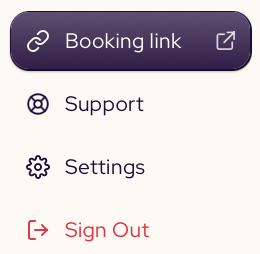
Look for Booking link at the bottom of the left menu and click on it. Your booking page opens in a new tab, and the address in your browser is the link you share. (e.g https://book.salongrid.com/s/salongrid-demo)
Share it everywhere your clients are
The more places your link lives, the more bookings find you. Put it where clients already look, then set it to answer the messages you used to reply to by hand.
Put it where clients see it
- Add it to your Instagram and TikTok bio.
- Pin it to your Google Business profile, so clients booking from Maps land on your page.
- Drop it into your Facebook page and any link-in-bio tool you use.
- Send it to regulars by text when they are due for a visit.
Let it answer your DMs
Most chat apps can send a reply the moment a client writes in. Put your booking link in that reply, so the question "how do I book?" answers itself and your team stops typing the same message all day.
- WhatsApp Business: add your link to your greeting message and your away message.
- Instagram: save it as a quick reply and add it to your story link.
- Viber and Messenger: put it in your auto-reply.
- Telegram: pin it to your channel or set it in your bot reply.
What your clients see
When a client opens your link, they move through your service menu one step at a time. They pick a category, then a service, then a style and any add-ons. The price they see is the real price for those choices, not a vague "from" figure. To finish, they choose a stylist, leave a note or a photo, pay any deposit and confirm.
If you turn on Let clients book with any available stylist in Shop Settings, your page also offers an Any stylist choice. A client who picks it gets whoever is free at the time they choose, which fills more of your open slots.
Keep the bookings coming
Every booking through your link is one your team did not have to arrange by hand. Share it often and let it do the asking for you.
Tip: Add your link to your email signature and your appointment reminders, so it is always one tap away.
Related: Take a tour of your dashboard · Shop Settings
Updated 2 months ago