
REGISTER
Charge walk-in clients and take payment right away.
The register is your checkout. Use it to serve a client who walks in without a booking. Add the services and products they are paying for, then take payment on the spot. SalonGrid adds everything up for you, so there is no paperwork and nothing to total by hand at the end of the day.
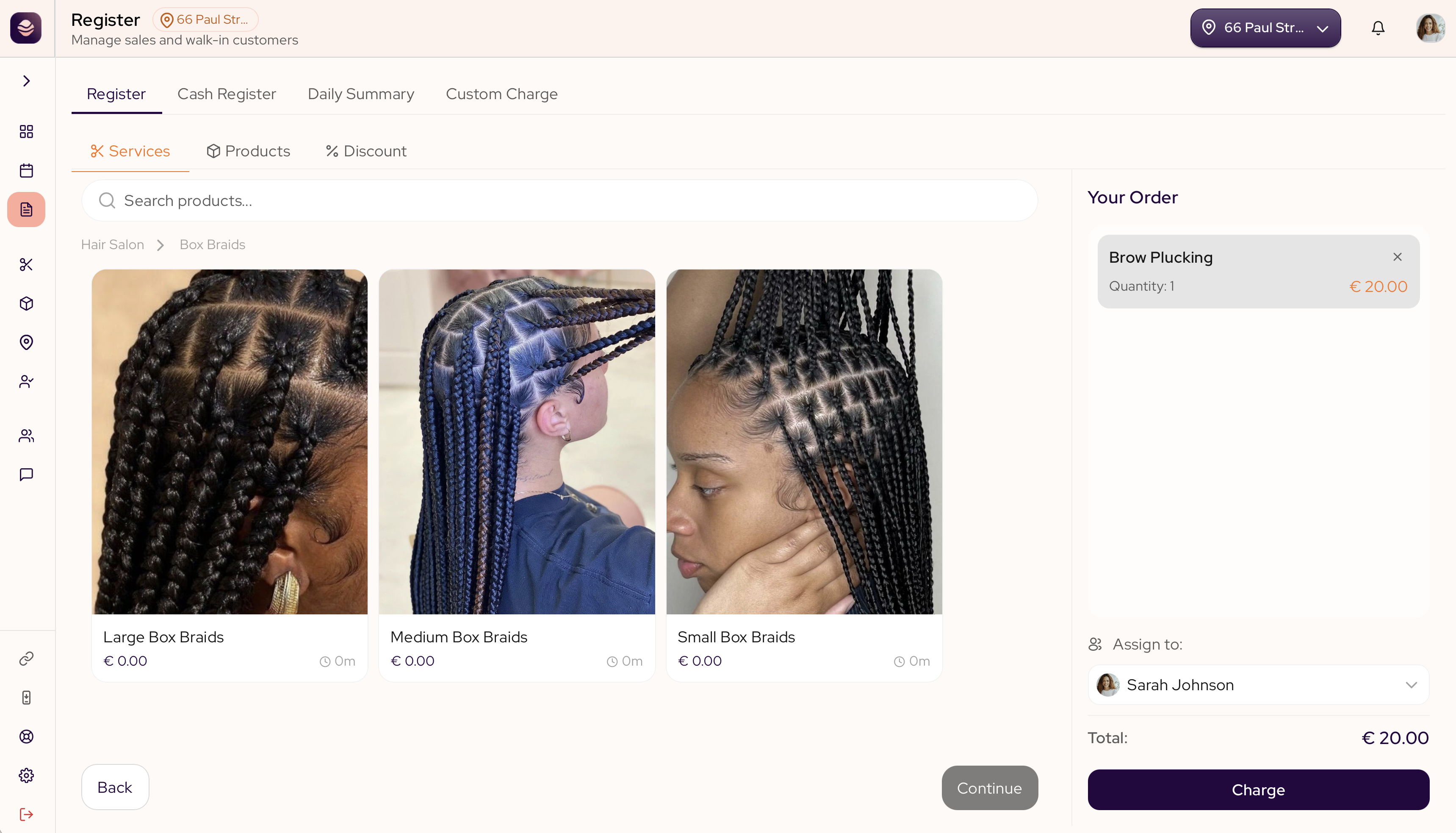
How the register is organised
The register has four tabs across the top:
- Register is where you ring up a sale. Inside it are three sub-tabs: Services for a service from your menu with its styles and add-ons, Products for an item from your shelf, and Discounts to take money off.
- Cash Register is your cash drawer. Open it with a starting float, record cash in and out, and close it at the end of the day.
- Daily Summary is the day's record: every sale, with receipts, refunds and totals.
- Custom Charge adds a one-off that is not in your menu.
Build the cart
In the Register tab, tap items and they gather in the cart on the side. The cart keeps a running total, so you and the client always see the price. Attach the client to put the sale on their history, then take the payment when everything is in.
Who can use the register
Your team can ring up sales. Closing the cash register at the end of the day is for managers and owners.
Ring up a sale
Everything in the Register tab, for taking payment on the spot.
Your cash drawer
The Cash Register tab, for the cash that moves through your day.
The day's record
The Daily Summary tab, where every sale lives after it is rung up.
One-off charges
The Custom Charge tab, for anything that is not on your menu.
Updated 2 months ago