
Automations
Reminders, aftercare and rebooking, sent for you
Automations do the follow-up your team never has time for. SalonGrid sends the right message at the right time, before and after a visit, so clients show up, look after their hair and come back, without anyone remembering to chase them.
Appointment reminders
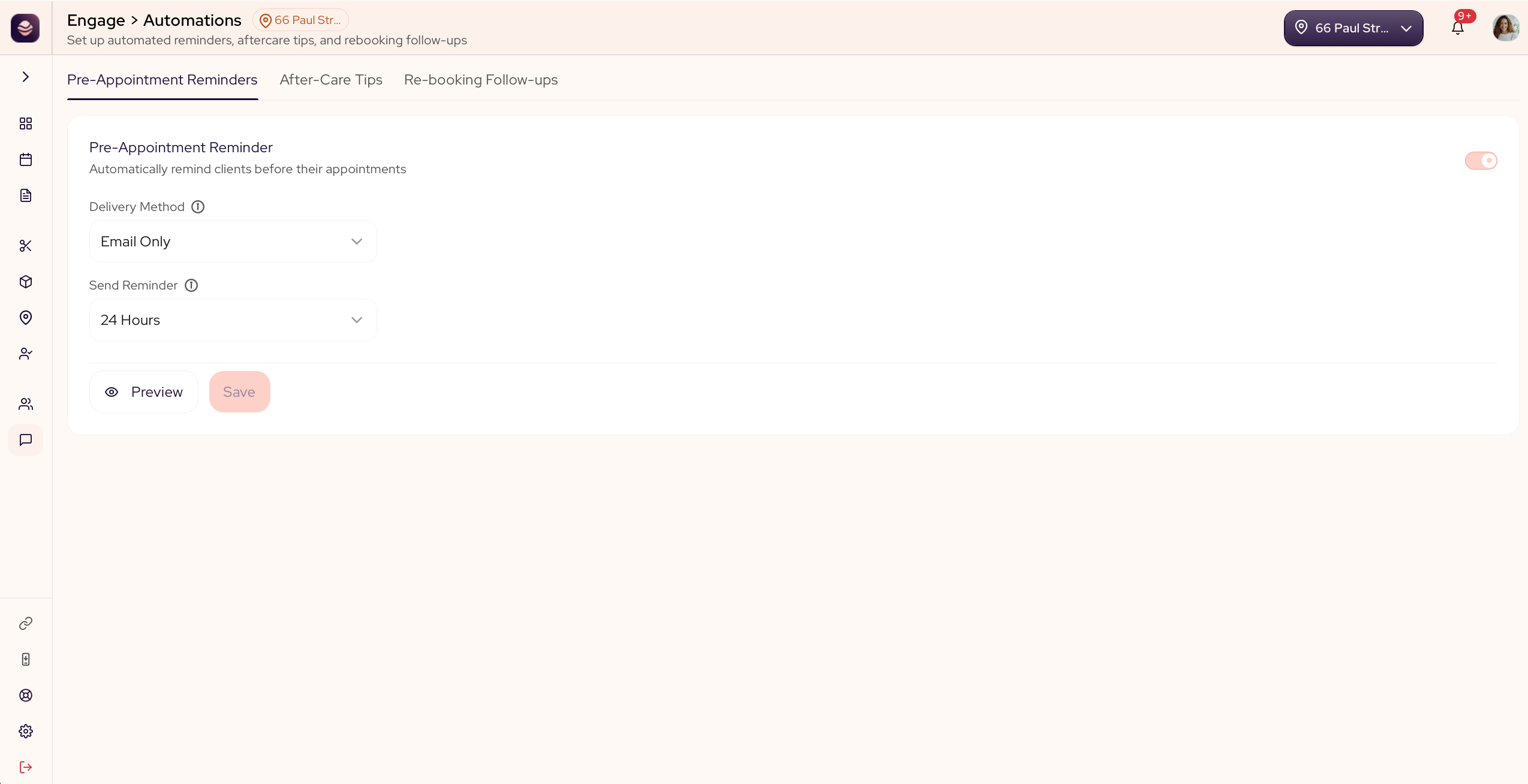
A reminder goes to your clients before their appointment, so fewer people forget and fewer slots go to waste.
- Go to Engage and open Automations.
- Open the Pre-Appointment Reminders tab.
- Turn reminders on.
- Under Send Reminder, choose how far ahead it goes out, from an hour before up to a week before.
- Preview the email to see what your client gets.
- Save your changes.
Reminders are sent by email.
Aftercare tips
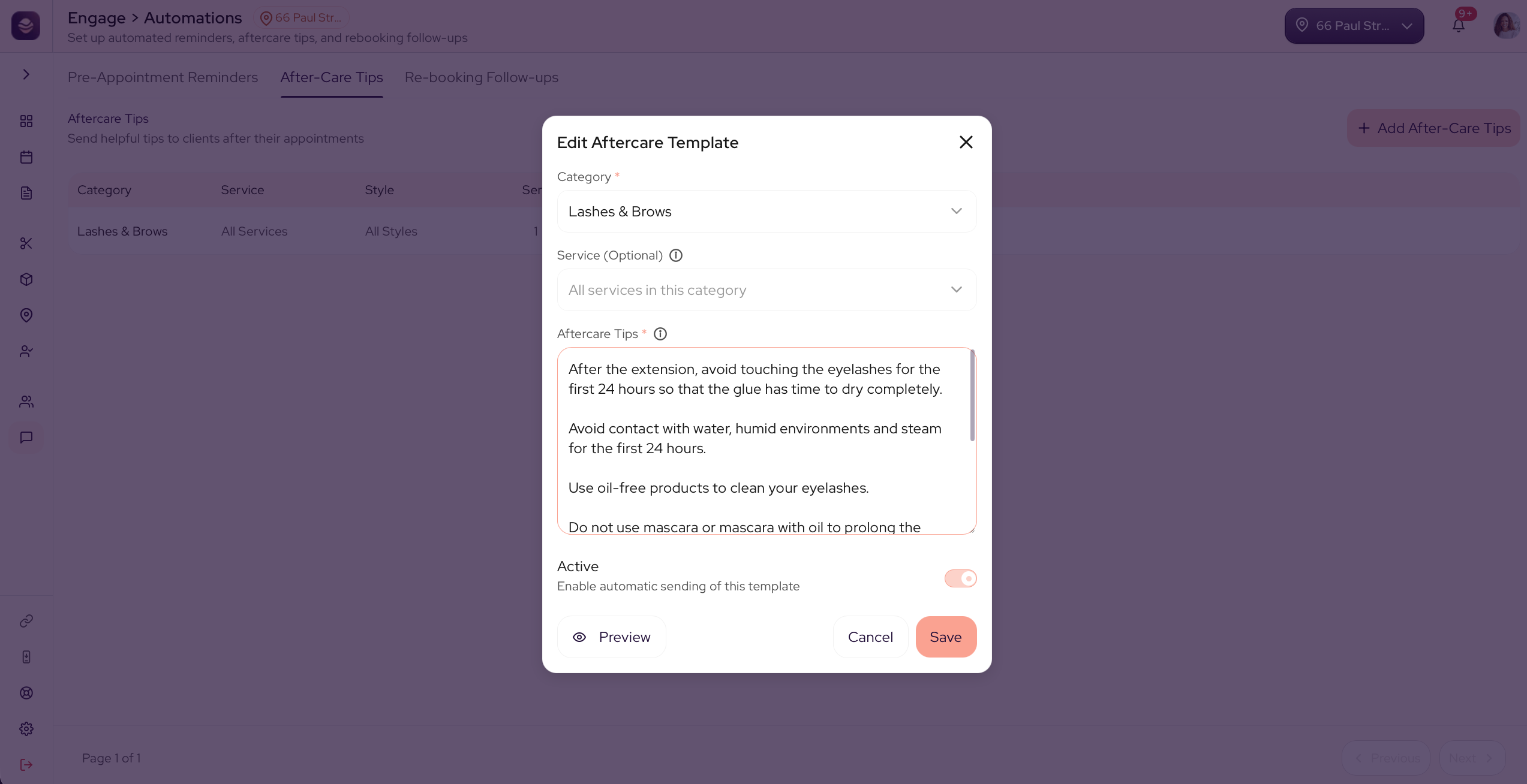
An aftercare tip is a short message that helps the work last. It is sent while the client is still in for their visit, so it is waiting in their inbox by the time they leave. You do not set a time. It sends on its own.
- In Automations, open the Aftercare tab.
- Add an aftercare tip.
- Write your message.
- To aim it at one look, pick the service and style it applies to. Leave it open to send after any visit.
- Turn it Active.
- Save your changes.
Rebooking follow-ups
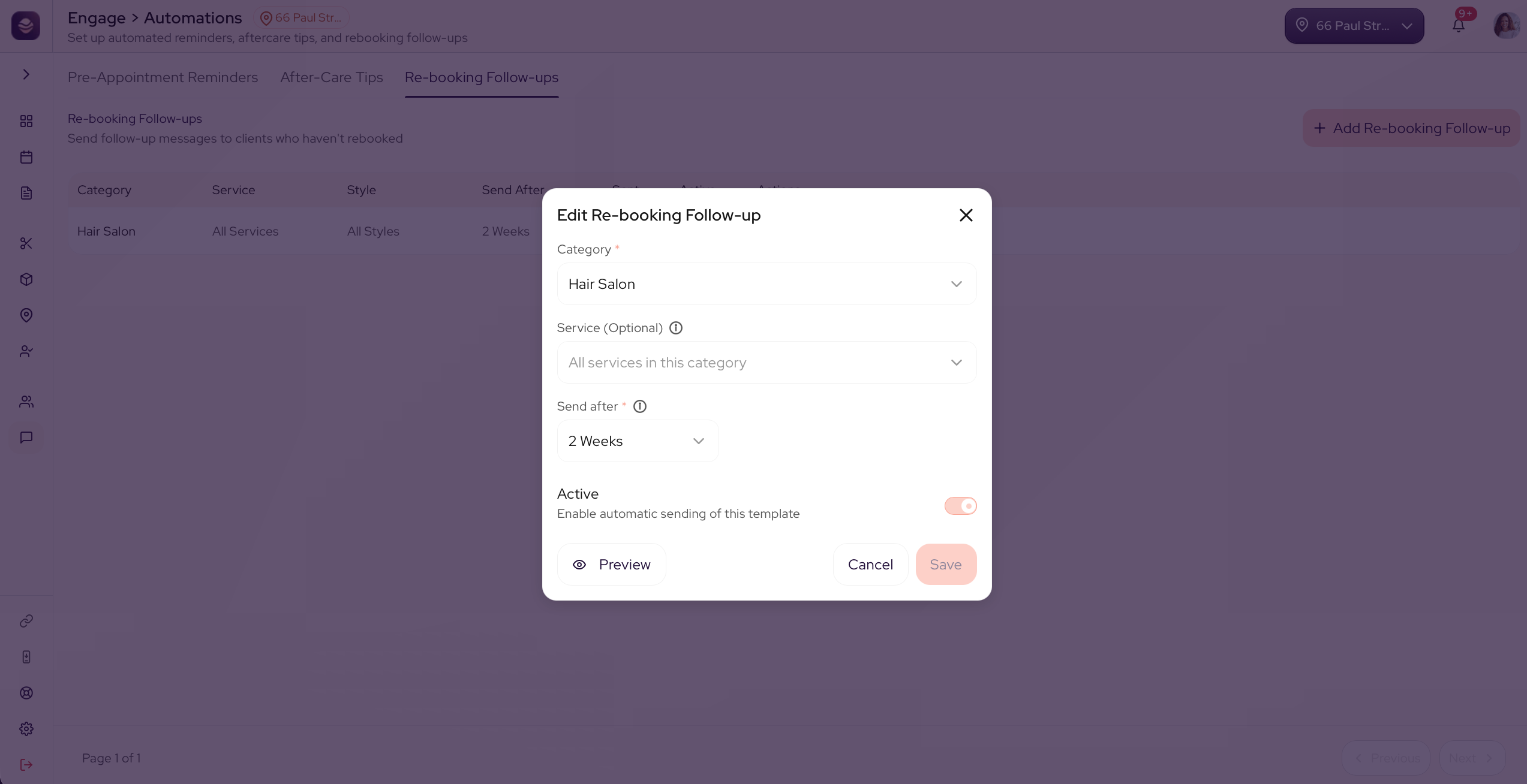
A rebooking follow-up nudges a client to book again a set time after their last visit.
- In Automations, open the Rebooking tab.
- Add a rebooking follow-up.
- Set Days after the visit to send it, like 14.
- Preview the email to see what the client gets.
- Turn it Active.
- Save your changes.
Review requests
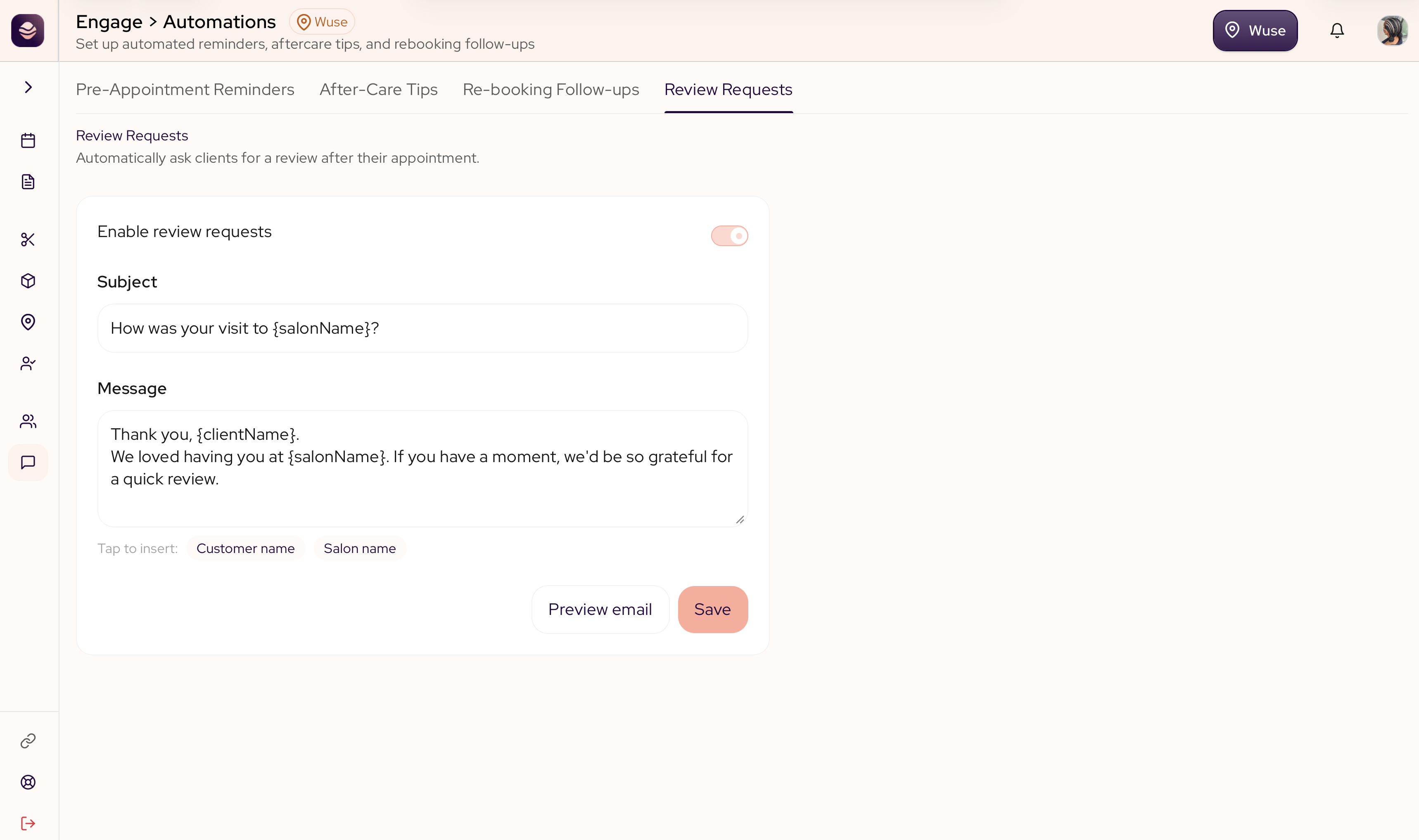
A review request asks a client for a review after their appointment, so your happy clients build your reputation for you. It goes out once the visit is done, or once you ring up a walk-in at the register.
- In Automations, open the Review Requests tab.
- Turn Enable review requests on.
- Set the subject of the email.
- Write your message. Tap Customer name or Salon name to drop those into the text.
- Preview the email to see what the client gets.
- Save your changes.
Review requests are sent by email, one per visit.
Updated 21 days ago