
Block or remove a client
Stop a client booking, or delete them for good
Most of the time you are adding clients, but now and then you need to stop one from booking, or remove them from your list. Both take a moment.
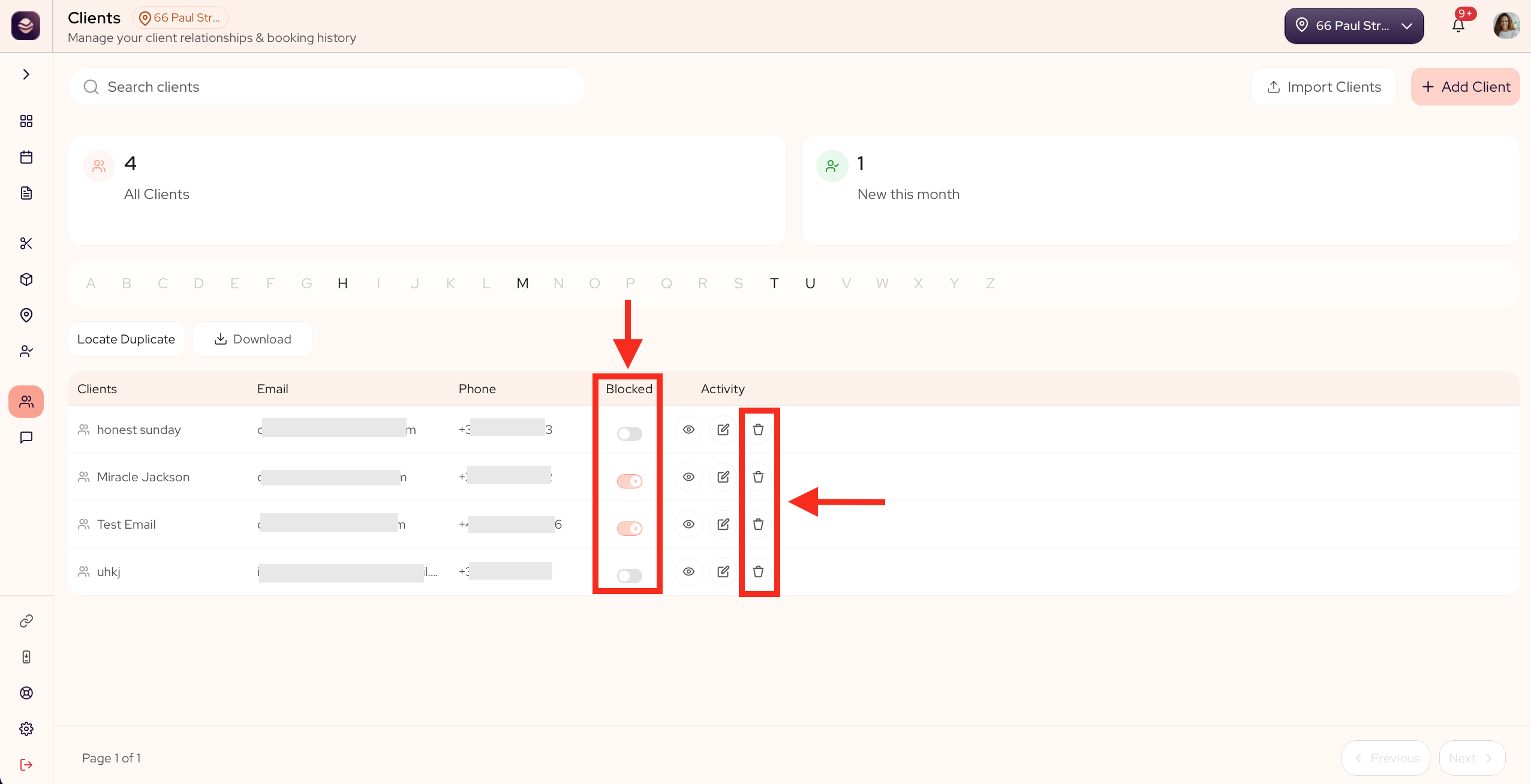
Block a client from booking
Blocking stops a client from booking with you online, while keeping their history. Use it for someone who keeps no-showing.
- Go to Clients.
- Find the client in your list.
- Turn on the block toggle next to them.
To let them book again, turn the toggle off.
Delete a client
Deleting removes a client and their details for good. Use it when a record is a duplicate or was added by mistake.
- Go to Clients and open the client.
- Select Delete client.
- Confirm.
Updated 21 days ago
Did this page help you?