
Add a team member
Bring someone onto the team in three steps
Adding a team member takes three steps. You set up their profile, then their availability, then how clients can book them.
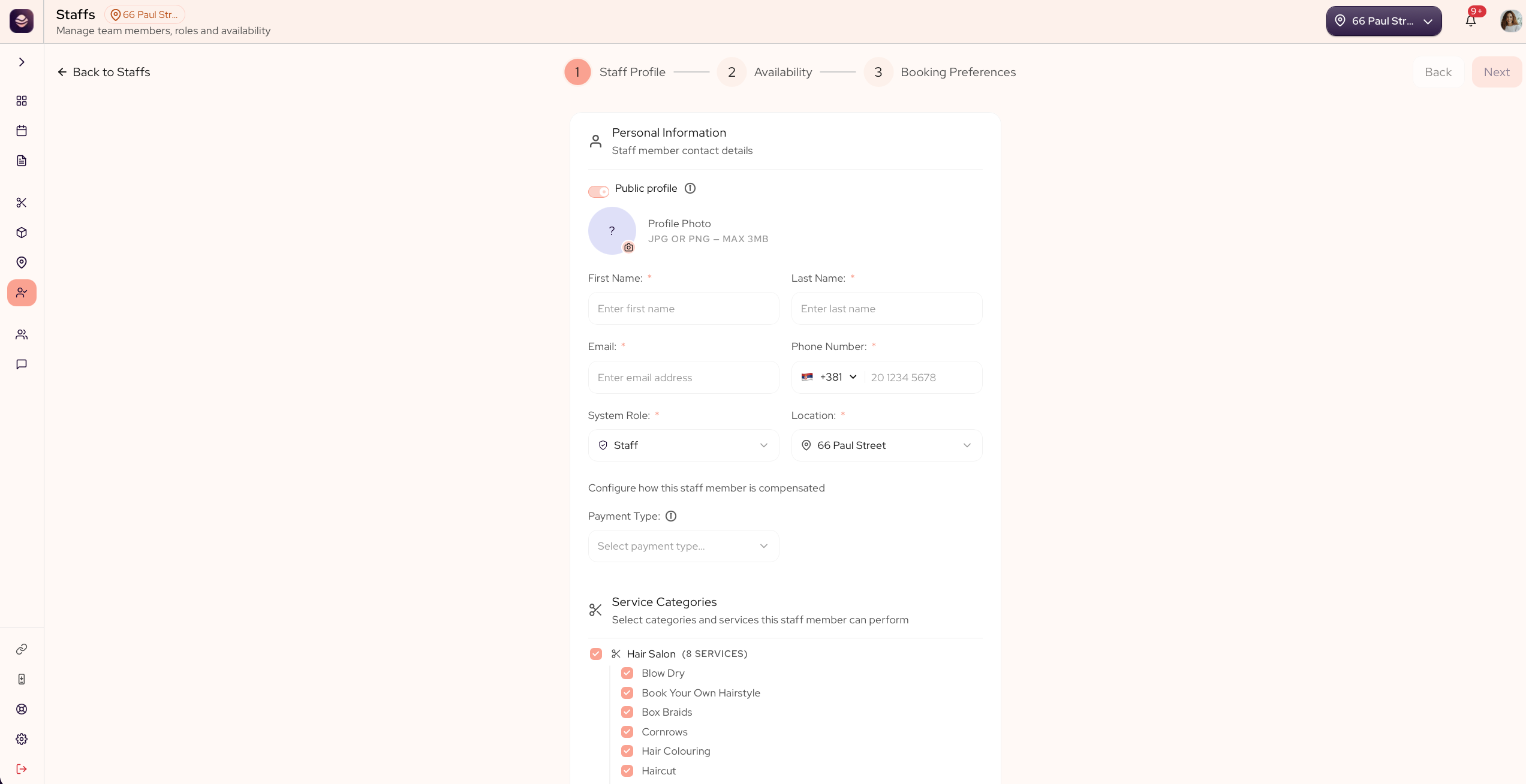
Add a team member
- Go to Staff.
- Select Add Staff Member.
- Profile: enter their first name, last name, email and phone, set their system role, pick the service categories they perform, and choose whether they show up on your public profile and take appointments.
- Availability: set their working hours and any time off.
- Booking preferences: keep your salon's booking rules or set rules just for them.
- Save.
The team member can now take bookings through your link.
Note: Two switches on the Profile step, both on by default.Public profile shows or hides them on your booking page.
Takes appointments decides whether they can be booked at all, in the dashboard or online — turn it off for someone who works behind the scenes, like an admin-only Manager. Either way, they still count as a team member on your plan while active — turning off
Takes appointments does not free up a seat, only deleting them does.
What each role can do
The system role you pick in step 3 decides what that person can reach in the dashboard, so money and account actions stay in the right hands. There are four roles to start with:
- Owner has full access to everything, including settings and billing.
- Manager runs the day to day, from appointments to clients to the menu, but not your settings.
- Staff handles their own work: appointments, clients and a look at the register and the menu.
- Receptionist covers the front desk: appointments, the waiting list, taking payment at the register and clients.
Updated 21 days ago