
Add a client
Keep a client's details and notes in one place
You can add a client any time, and SalonGrid also creates one for you whenever a new person books. Keeping their details current means better reminders and a warmer welcome each visit.
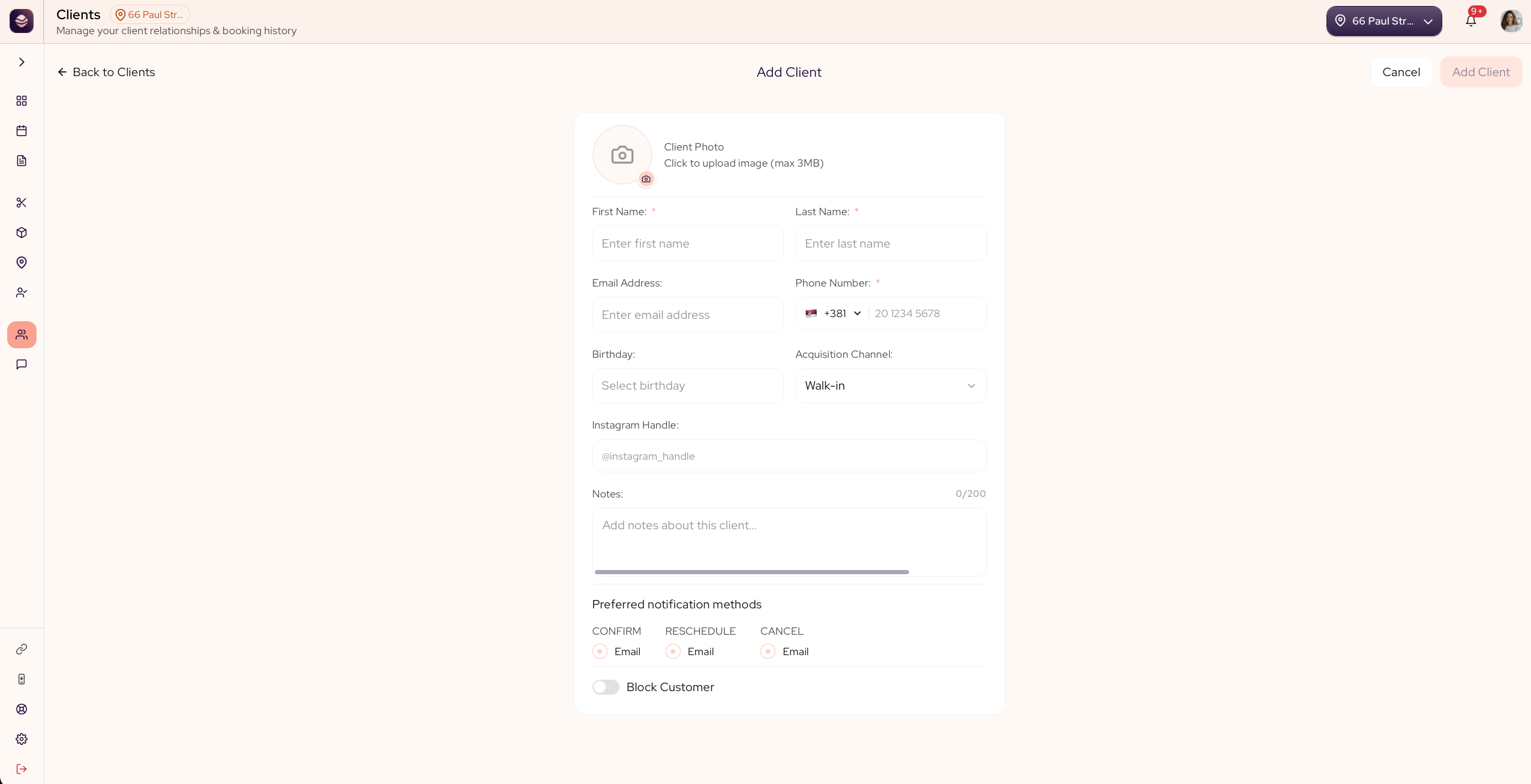
Add a client
- Go to Clients.
- Select Add Client.
- Enter their first name, last name and phone number. These three are required.
- Add their email if you have it. It is not required, but it is how reminders, aftercare and offers reach them.
- Fill in anything else that helps: a photo, their birthday, how they found you under Acquisition Channel, and their Instagram.
- Add a note for anything the team should remember, like a favourite style or an allergy.
- Save the client.
Updated 21 days ago
Did this page help you?