
Apply a discount promo or loyalty
Take money off a sale the right way
There are three ways to lower a price at the register: a discount you apply, a promo code the client brings and a loyalty reward they have earned. Each one shows clearly on the sale.
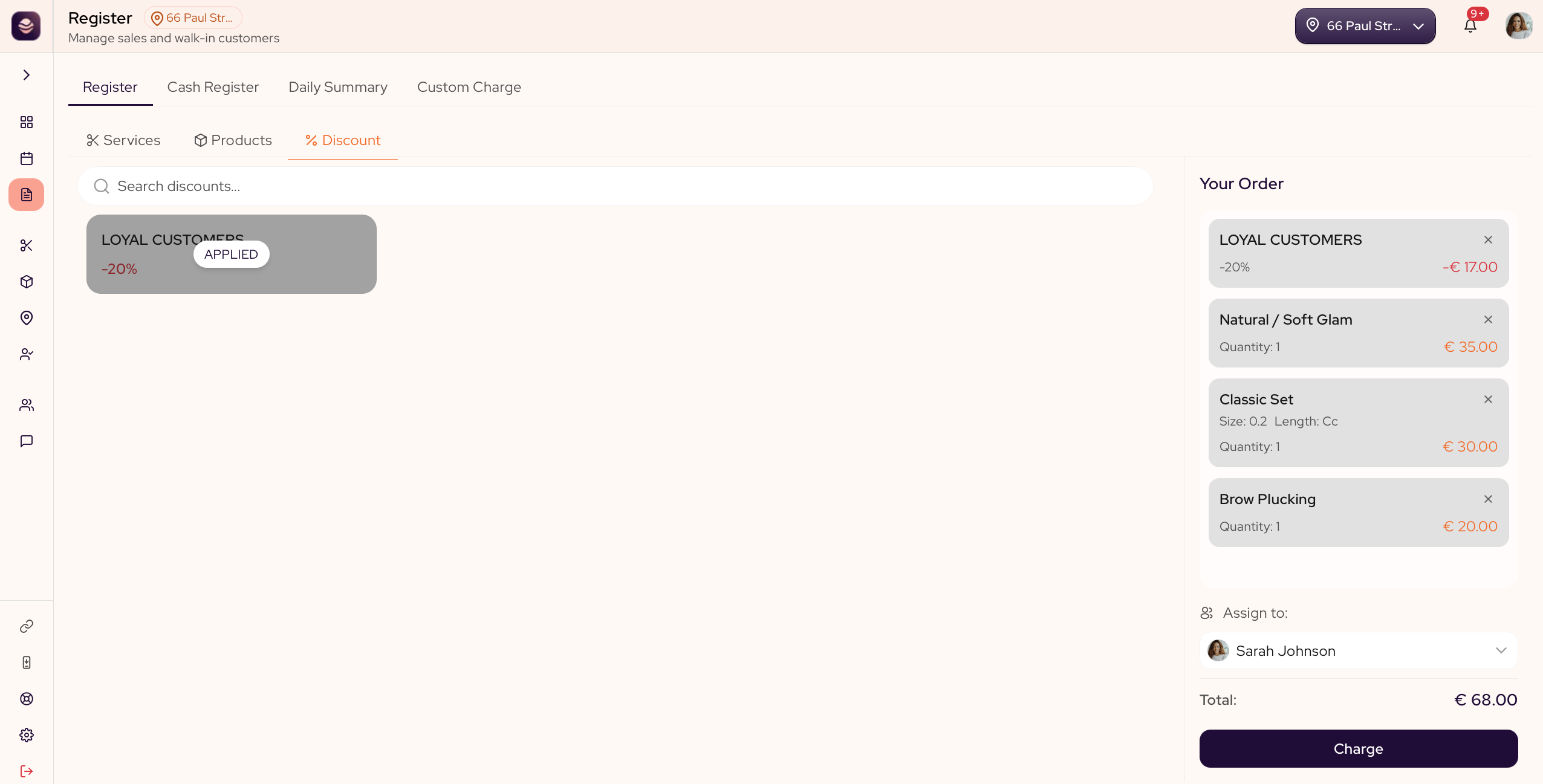
Apply a discount
From the Discounts tab, choose a discount to take money off the cart.
Add a promo code
At checkout, enter the client's promo code. The saving comes off the total.
Apply a loyalty reward
At checkout, attach the client, then apply the reward they have earned on their punch card.
Updated 21 days ago
Did this page help you?