
Create your account
Sign up and verify your email, in about a minute.
Getting started with SalonGrid takes about a minute. There are no passwords to remember — we'll email you a secure code each time you sign in.
In this article
- Sign up
- Verify your email
- Signing in later
Sign up
Go to app.salongrid.com/signup and tell us a little about your business:
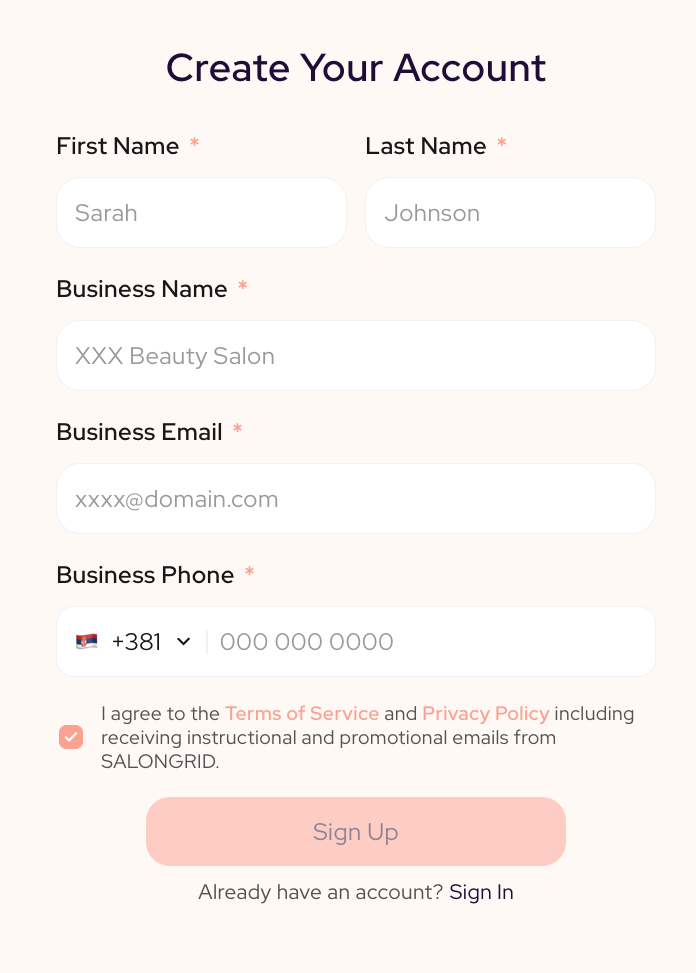
- Your Name — first and last name
- Business Name — how your salon appears to clients
- Business Email — where your bookings, codes, and notifications are sent
- Business Phone — your main contact number
Tick the box to agree to the Terms of Service and Privacy Policy, then select Sign Up.
Tip: Use an email you check often. This is where every verification code, booking alert, and client message will land.
Verify your email
As soon as you sign up, we'll send a 6-digit code to your business email. Enter it on the next screen to confirm your account.
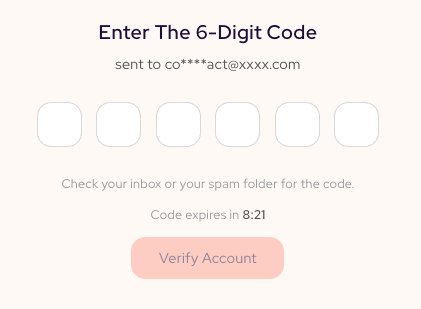
- Can't find it? Check your spam or junk folder.
- The code expires after a few minutes. If it runs out, just select Resend to get a fresh one.
Once your code is accepted, you're taken straight into Set up your salon to get your salon ready.
Signing in later
You'll never need a password. Each time you return to app.salongrid.com/login:
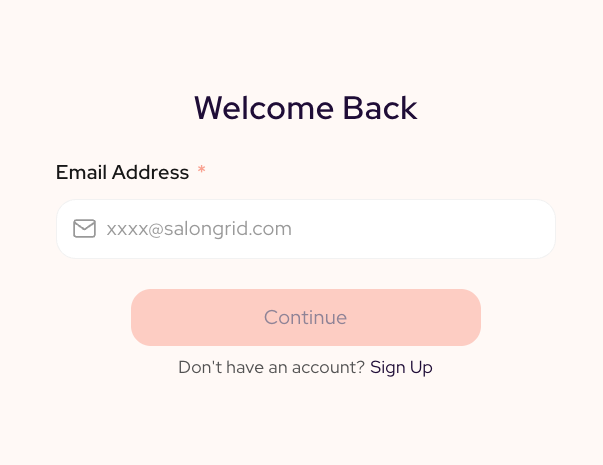
- Enter your business email.
- We'll send you a new 6-digit code.
- Enter the code, and you're in.
Related: Set up your salon · Get the SalonGrid App
Updated 2 months ago
Did this page help you?