
Staff performance
What each team member brings in
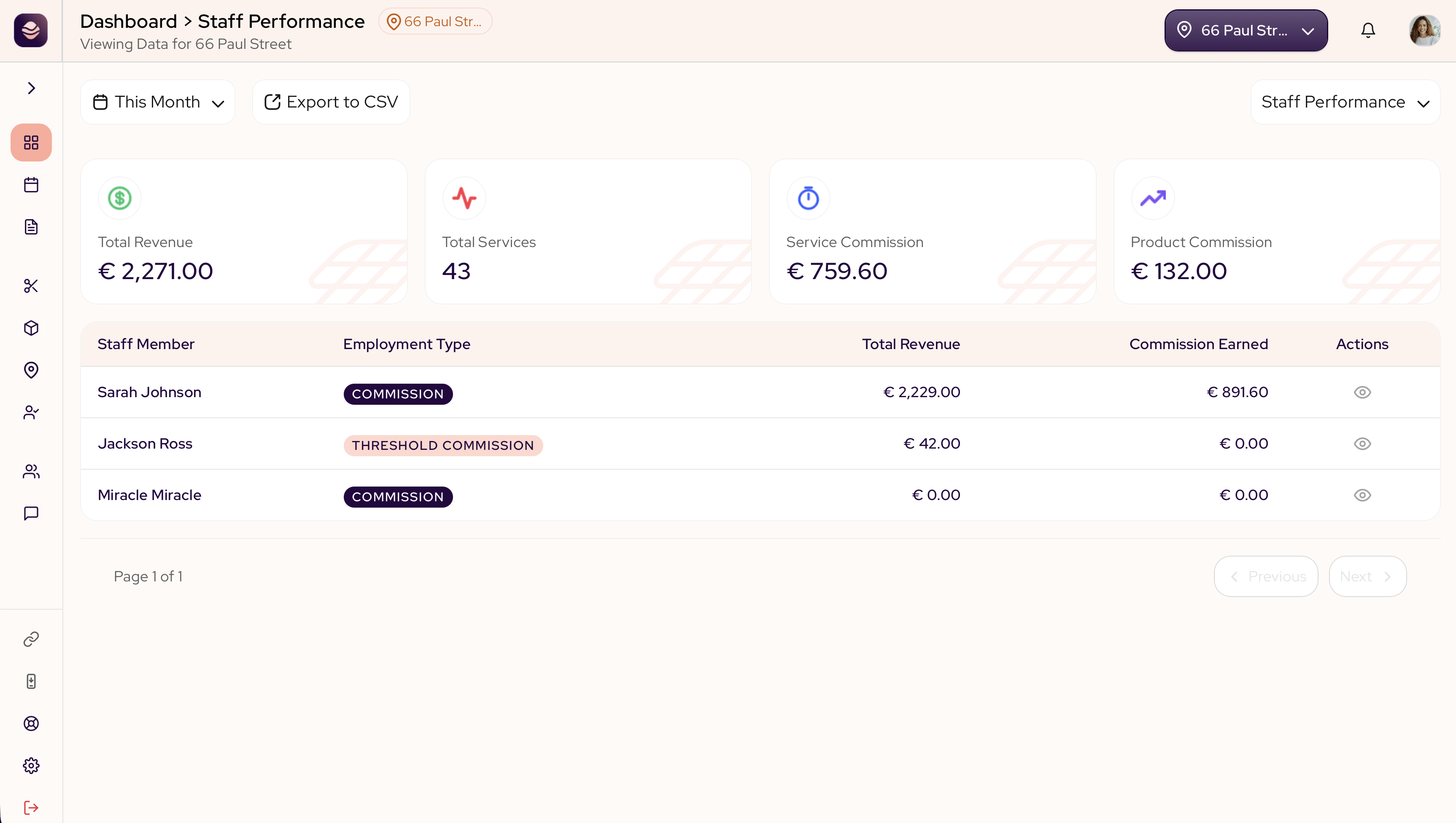
The staff performance report shows what each member of your team brings in. It helps you see who is busy, who is growing and what commission is owed, all in one place.
What this shows you
The top of the report sums up the team for the period:
- Total revenue is what the team brought in.
- Total services is how many services they performed.
- Service commission and product commission are what is owed on each.
Total revenue includes both services and products — appointments, product sales attached to an appointment, and standalone register sales. Product commission is broken out as its own stat so you can see it separately.
What each column means
- Staff member is the person.
- Employment type is how they are paid, by commission, threshold commission or salary.
- Total revenue is what that person brought in.
- Commission earned is what they are owed for the period.
- Actions opens their detail.
Open a team member
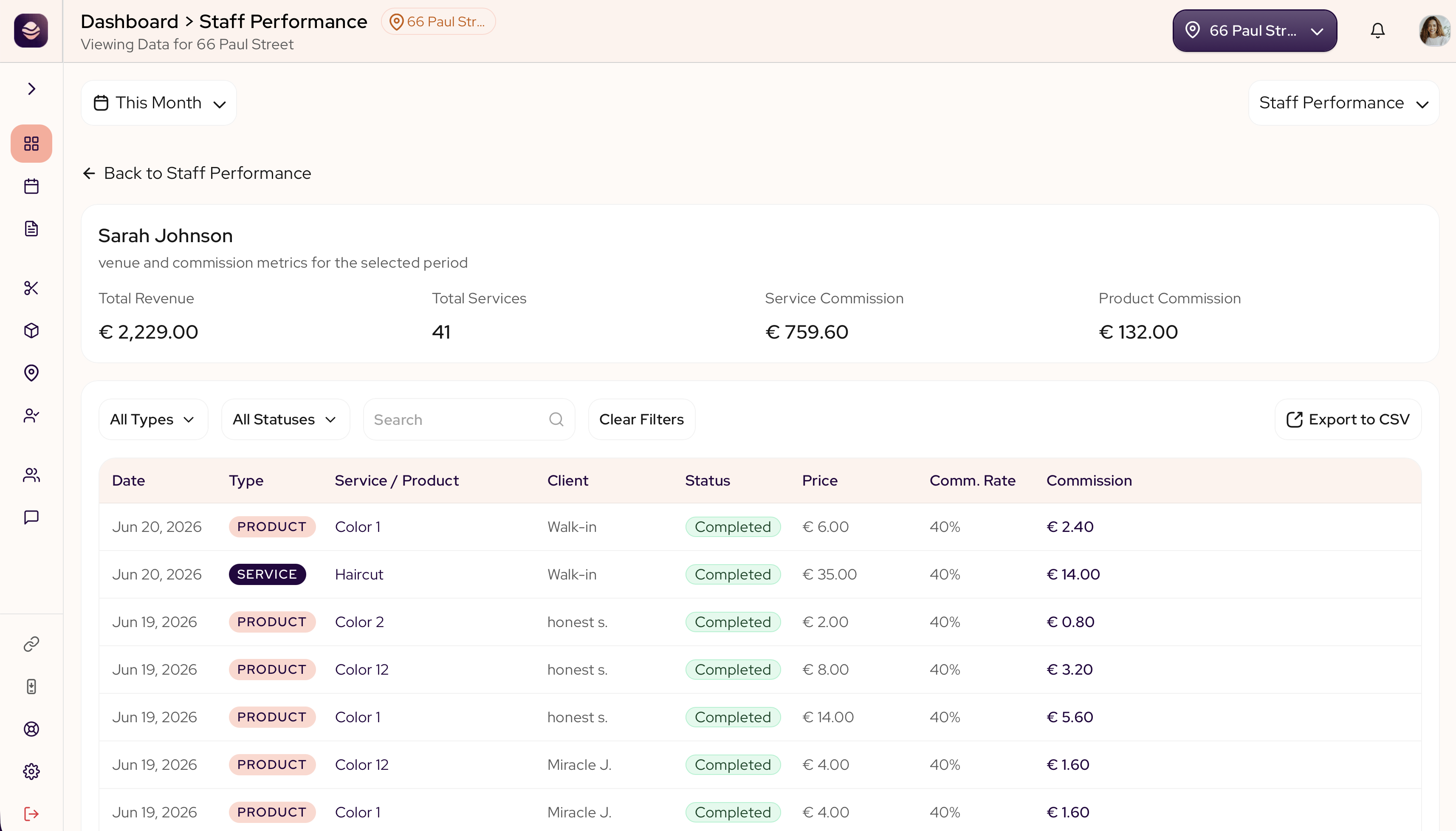
Select a team member to see every line behind their total: the date, the type, the service or product, the client, the status, the price, the commission rate and the commission earned. Use the search box and the type and status filters to narrow the list.
Export to CSV covers that team member across the whole date range you picked, not just the rows the filters leave on screen. You enter an email address and the file arrives there.
Note: Threshold commission works differently. Staff on this plan only earn commission on appointments once their appointment total for the period passes a set threshold — you will see that split out as "below threshold" and "above threshold" amounts on their detail page. Product sales, whether attached to an appointment or rung up at the register, do not earn commission under threshold commission.
Updated 14 days ago