
Marketplace
Your public profile, the way clients see your salon
Your marketplace settings are your public profile. This is how your salon looks to clients who find you, with your branding, your details and photos of your work.
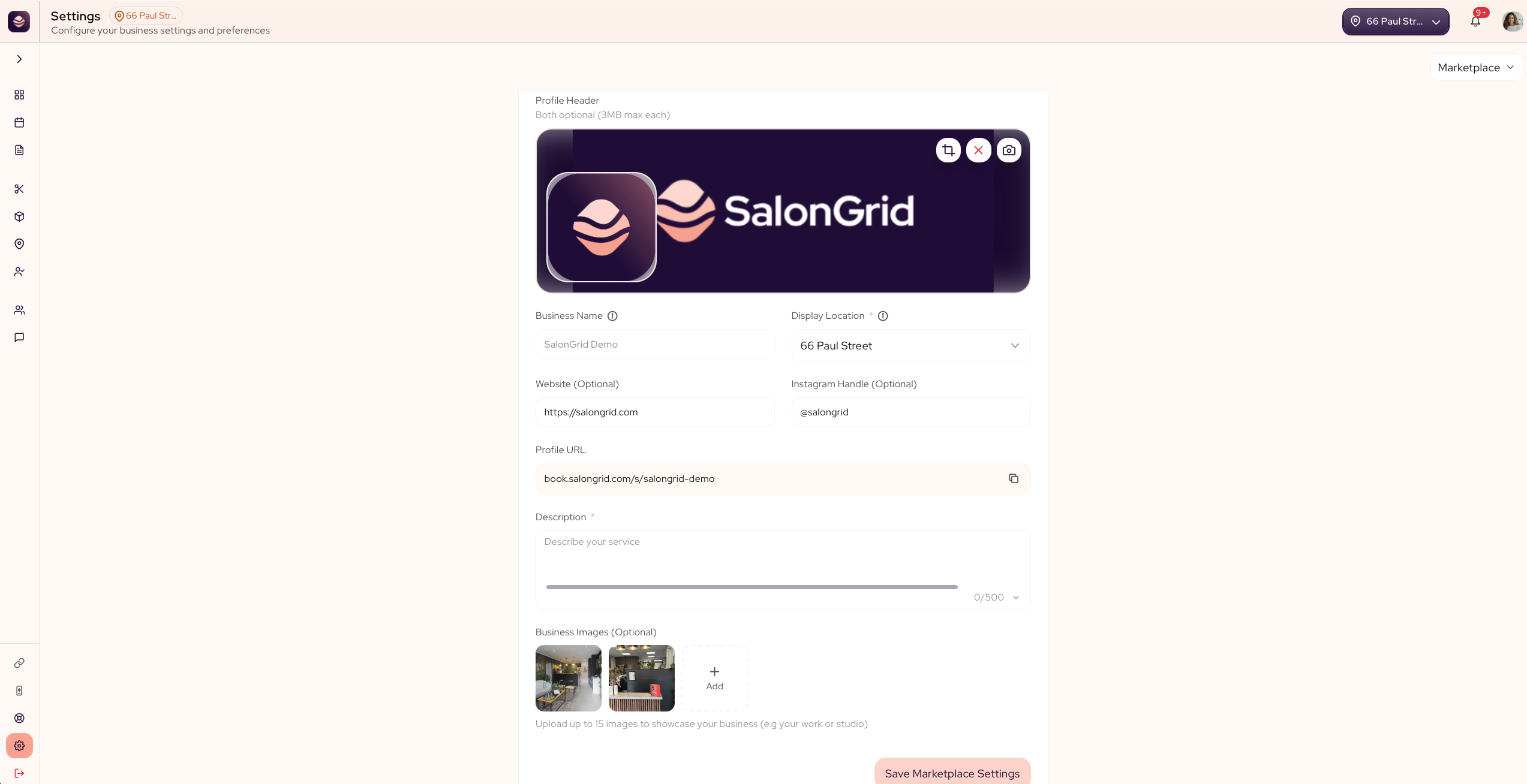
What you can set
- Banner and logo are your cover image and your logo at the top of your profile. Both are optional, up to 3MB each, and you can drag to position and zoom each one.
- Business name is the name shown on your profile.
- Display location lets you choose which location to show on your profile.
- Website and Instagram are your links, both optional.
- Profile URL is your public profile link. Use Copy URL to share it anywhere.
- Description is a short pitch for your salon, and it is required.
- Business images is a gallery of your work, optional but worth doing.
Set up your profile
- Go to Settings and open Marketplace.
- Add your banner and logo, then drag to position each one.
- Check your business name and choose the location to display.
- Add your website and Instagram if you have them.
- Write your description.
- Add photos to your gallery.
- Save your settings.
Updated 21 days ago
Did this page help you?