
Take a payment
Ring up a sale and take payment in a few taps
Taking payment at the register is quick. Add what the client had, choose how they pay and you are done, with the sale already counted towards your day.
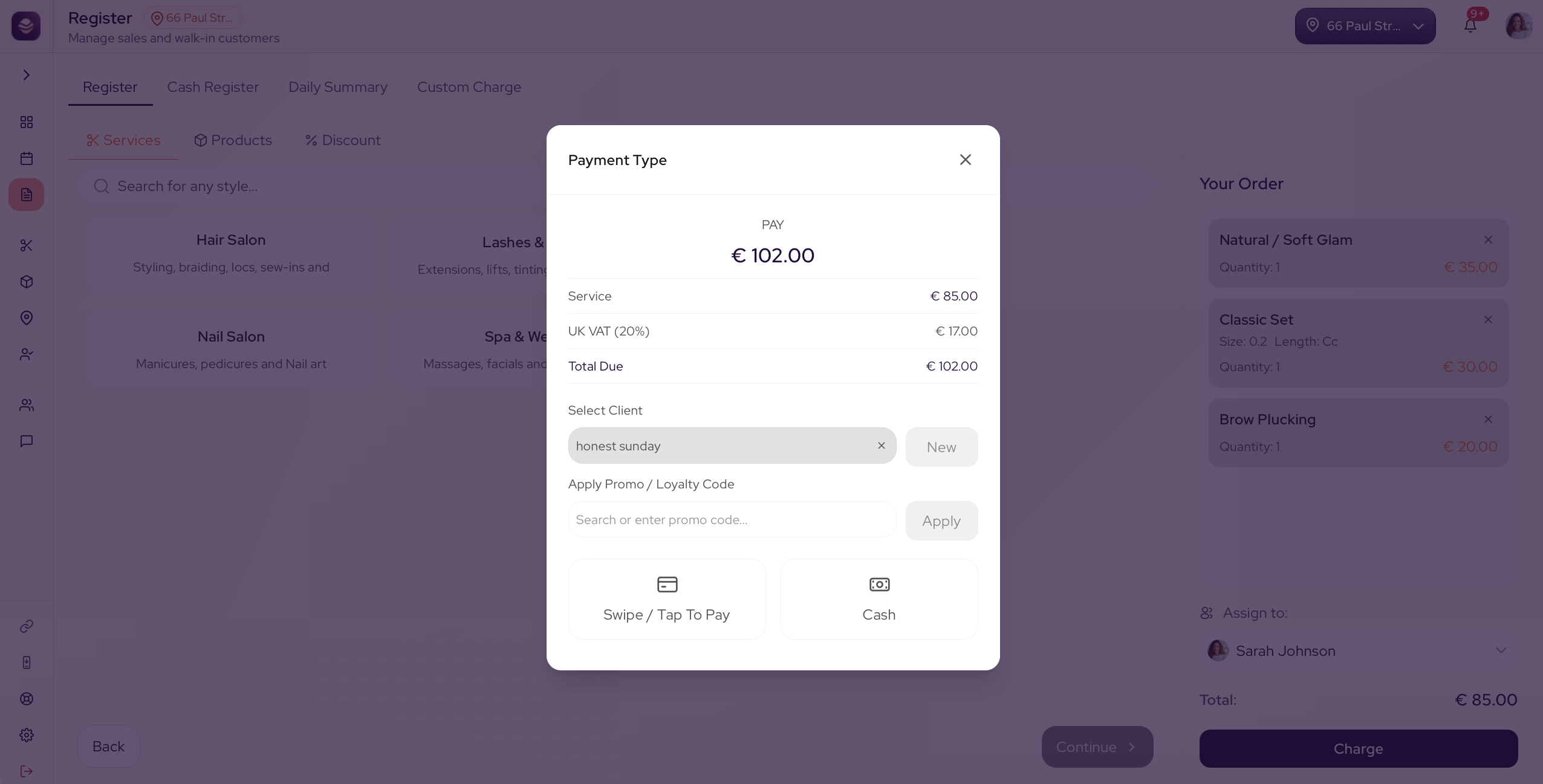
Ring up a sale
- Open the Register.
- From the Services tab, pick a category, then a service, then a style, and add any add-ons.
- Switch to the Products tab and tap any product to add it.
- Check the cart on the side. It keeps a running total.
- Attach the client if you want the sale on their history. Search for them or add a new client.
- When everything is in, go to checkout.
- Add a tip if the client is leaving one.
- Choose Card or Cash.
The sale is complete, a receipt is ready and the takings show on your dashboard.
Updated 21 days ago
Did this page help you?