
Rebook an appointment
Book a client's next visit in a couple of taps
Rebooking is the fast way to set up a client's next visit. It starts a new appointment already filled with what they had last time, so you book them again before they leave the chair.
In this article
- Rebook an appointment
Rebook an appointment
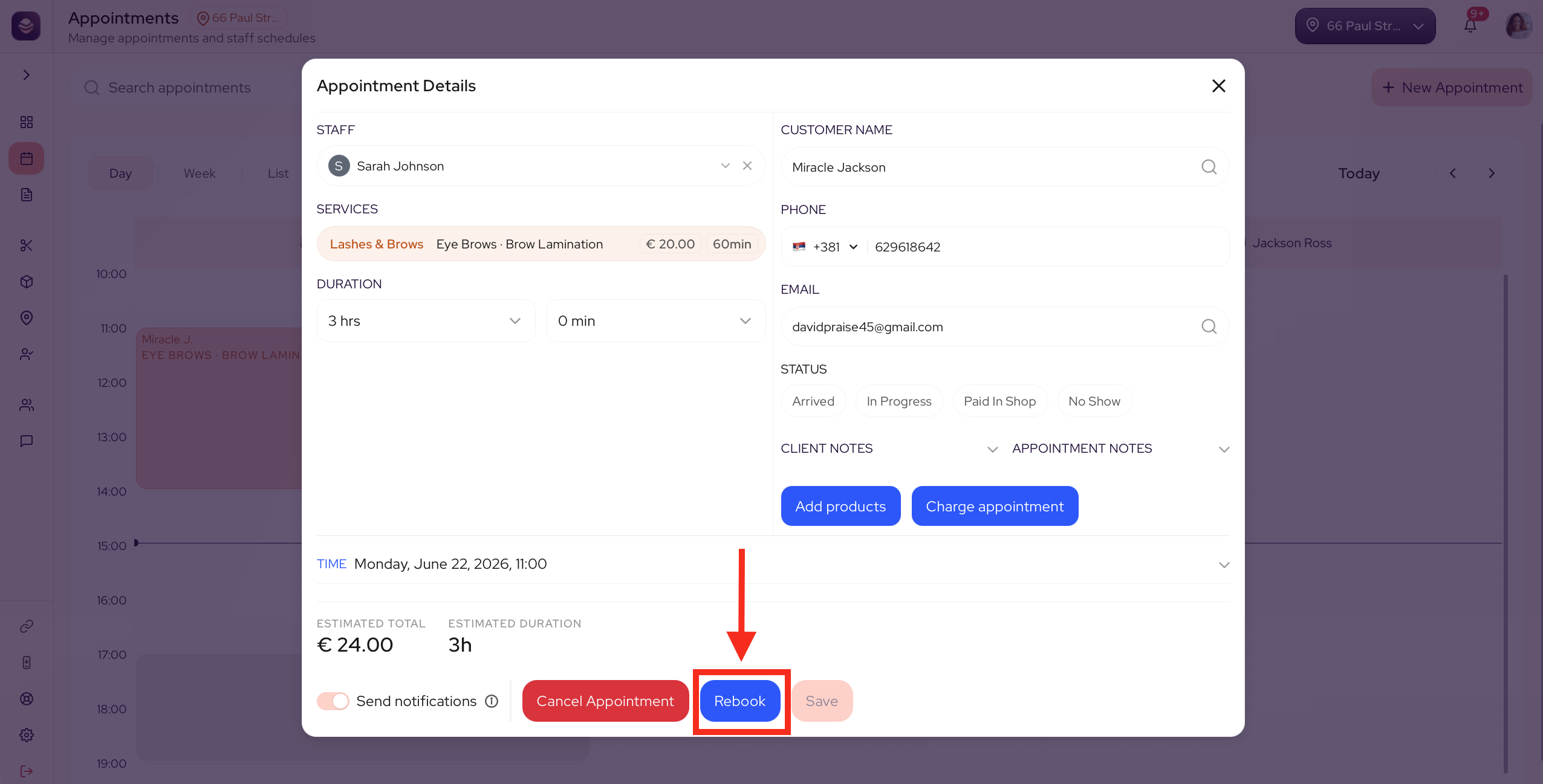
- On the calendar, open the appointment you want to repeat.
- Select Rebook.
- A new appointment opens, already filled with the same client, service, style, stylist and any add-ons.
- Pick the new date and time.
- Adjust anything that has changed, then save.
This creates a new appointment. The original visit stays as it is, so your history and numbers are untouched.
Tip: Rebook a regular before they leave. It is the surest way to fill next month and keep your chairs busy.
Updated 3 months ago
Did this page help you?