
Create an appointment
Book a client in, in under a minute.
Most bookings come through your link on their own. When you need to add one yourself, for a walk-in or a phone call, you can book it in under a minute.
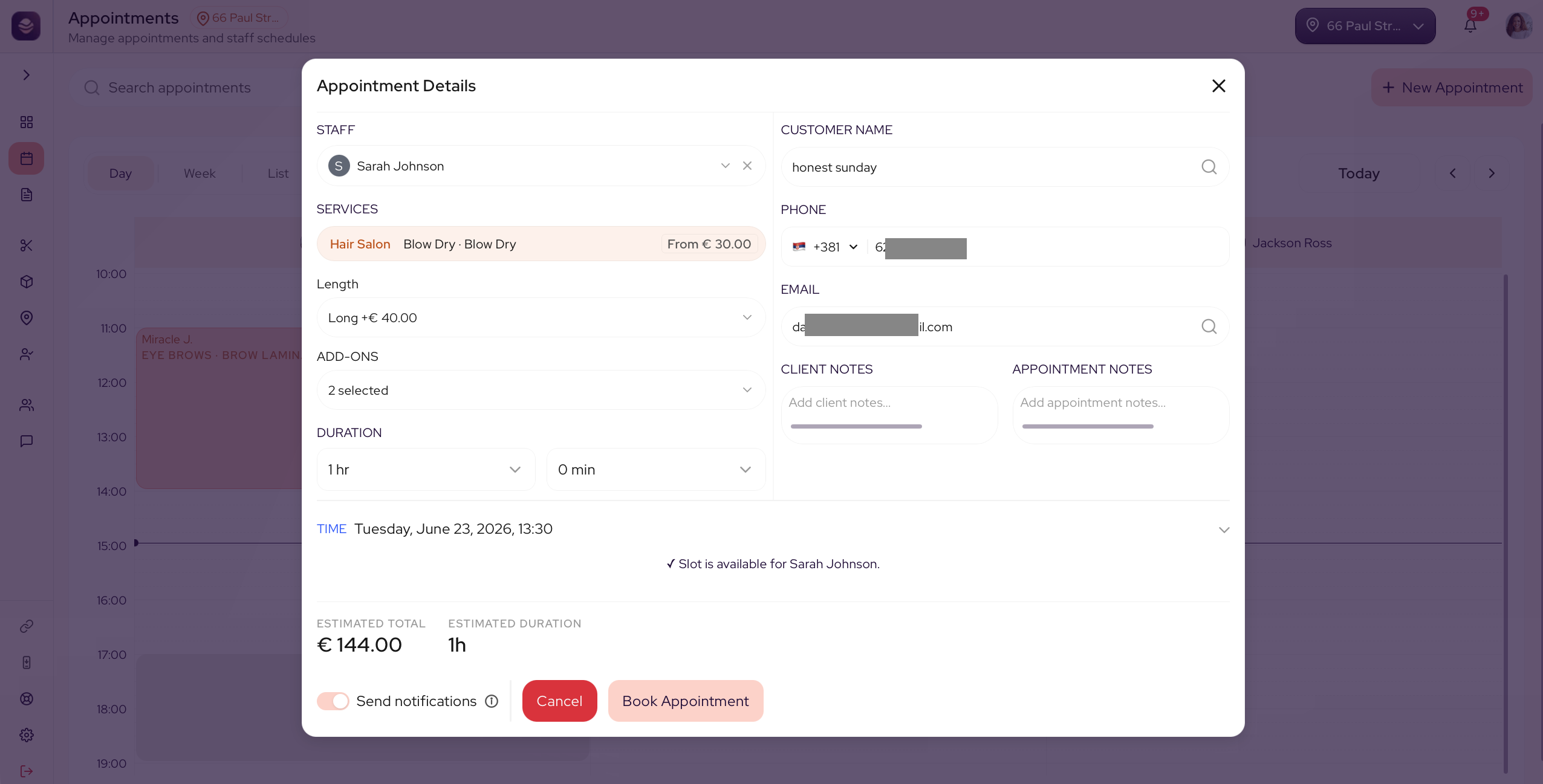
Create an appointment
- On the calendar, select New Appointment.
- Choose the service. Pick a category, then a service, then a style. The price follows the choices, the same way it does for your clients.
- If you let clients add several services to one booking, you can add more than one here, and they book with the same stylist in one back-to-back time slot.
- Choose the client. Search for an existing client or add a new one with their name and contact.
- Choose the stylist for the appointment.
- Pick the date and time.
- Add a note if there is anything the stylist should know.
- Save the appointment.
The booking now shows on the calendar, and the client gets their confirmation.
Tip: If the client is brand new, add their details here and they are saved to your client list for next time.
Updated 3 months ago
Did this page help you?