
Profile
Your own details, your appointments and your notifications, in one place
Your profile is your own corner of SalonGrid. It holds your personal details, the appointments booked with you, and how you hear about them. Whatever you set here applies to you alone, and never changes the salon or anyone else on your team.
Open it from your name in the top corner. It has three tabs.
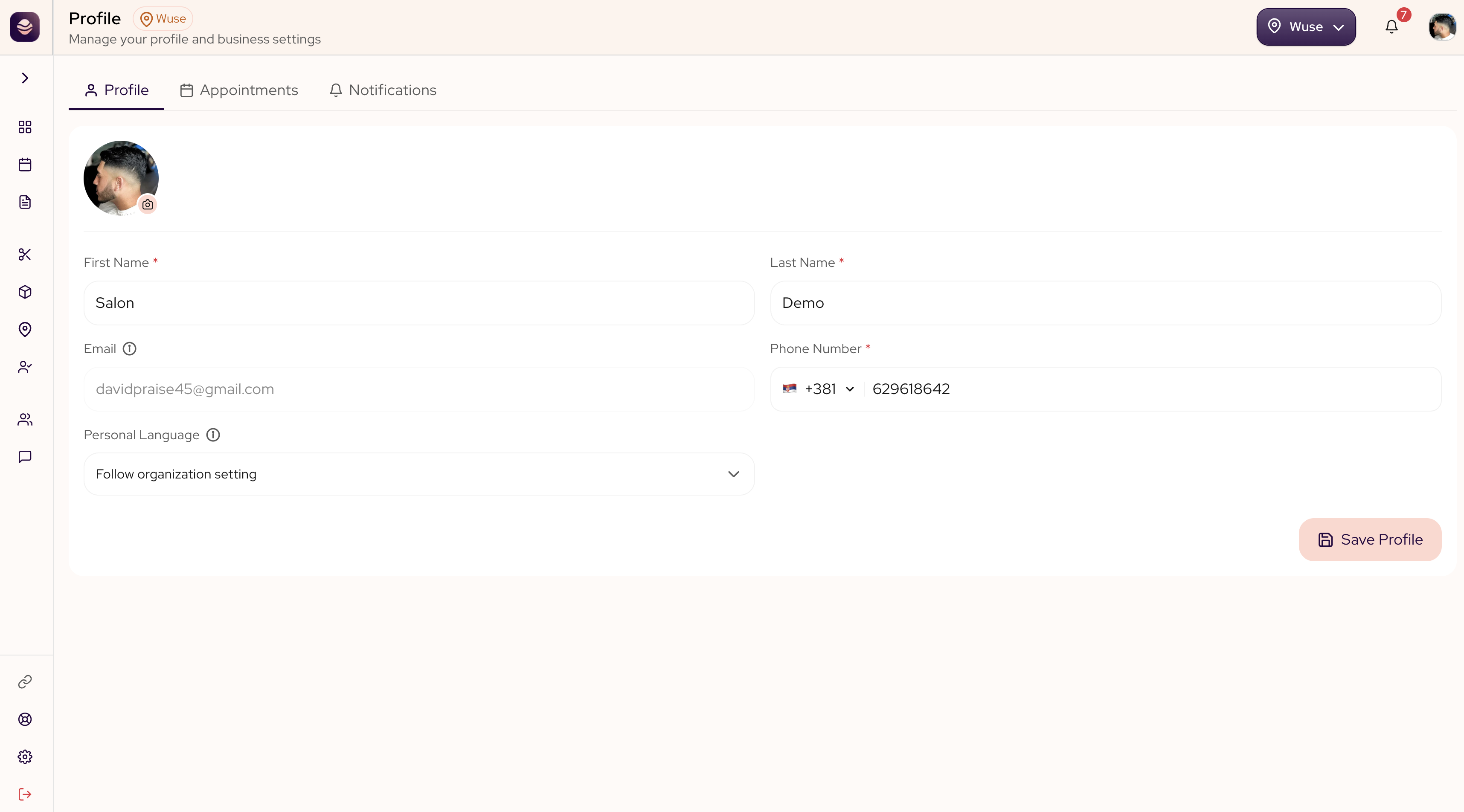
Your details
The Profile tab holds who you are on SalonGrid.
- Photo. Add or change your picture. Clients see it when they book with you.
- First and last name. The name shown on the calendar and to clients.
- Phone number. How the salon reaches you.
To update them:
- Open your Profile from the top corner.
- Stay on the Profile tab.
- Change your photo, name or phone.
- Save your profile.
Note: Your email is set when your account is created and cannot be changed here. If you need a different email, ask an owner or manager.
Your appointments
The Appointments tab shows the bookings made with you, so you can see what is coming without opening the full calendar. Switch between what is scheduled ahead and what has already happened.
Your notifications
The Notifications tab decides how you hear about your own appointments, and yours apply to you alone.
- Set how long before an appointment your reminder goes out.
- For new bookings, reschedules and cancellations, choose email, push or both. Clear both on a row to turn that alert off.
Your salon sets a starting point for everyone; anything you set here overrides it for you. This never changes the salon default or anyone else. For the full picture, including turning on push on a phone, see Staff notifications.
Tip: Push is the quickest way to hear about a new booking. Tick Push on the rows you want, save, and allow notifications when your phone asks.
Updated about 2 months ago