
Export your clients
Take your client list with you any time
Your client list is yours. You can export it whenever you need a copy, for your records or your own use.
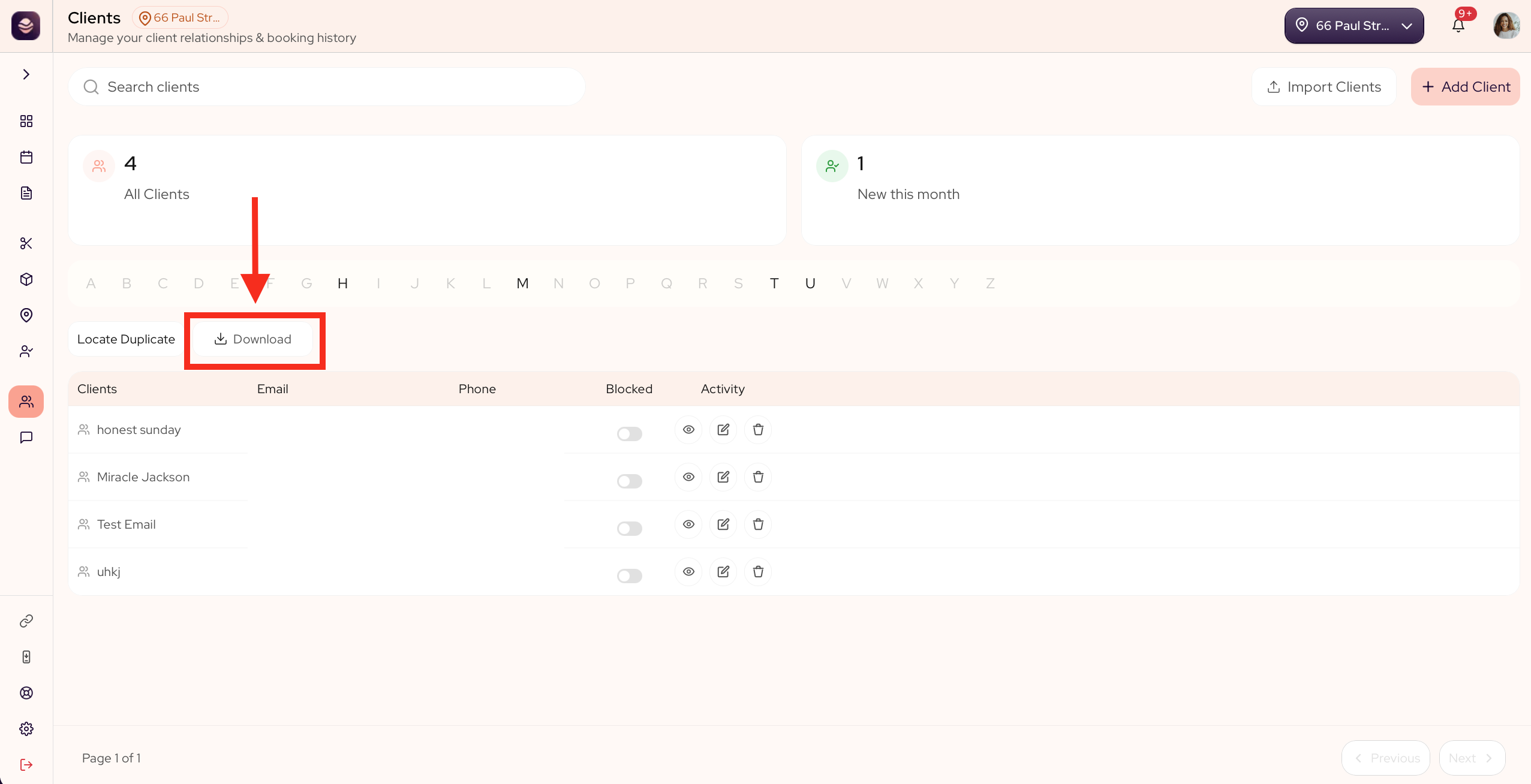
Export your clients
- Go to Clients.
- Select the Download button.
- In the window that opens, select Export.
- Check your inbox. The file arrives by email.
Your client list comes as a CSV spreadsheet, with each client's contact details, visit history and preferences. It is sent to your email rather than downloaded in the browser, so a large list still comes through in one go.
If your list is large enough that the export cannot hold all of it, the file opens with a line saying so and telling you how many clients it contains out of your total, so you never mistake a partial list for the whole thing.
Updated 14 days ago
Did this page help you?